Company A
 Company A
227thAHB Archive Guide
We have archived our 227th Assault Helicopter Battalion website for posterity through a service called "Archive-It".
Our website, Documents and Videos are now permanently archived.
Archive-It is a subscription web archiving service from the Internet Archive that helps organizations to harvest, build, and preserve collections of digital content. Archive-It partners can collect, catalog, and manage their collections of archived content with 24/7 access and full text search available for their patrons.
The following guide has directions to access our archived history.
Please use the following URL to begin:
https://archive-it.org/home/227ahb
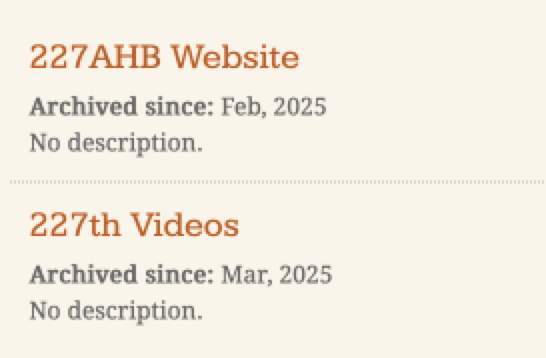
The above link will take you to the archive where you will see our two collections listed
The 227AHB Website collection includes all the information on our current website - and works just like our website - although the pages may load a little slower.
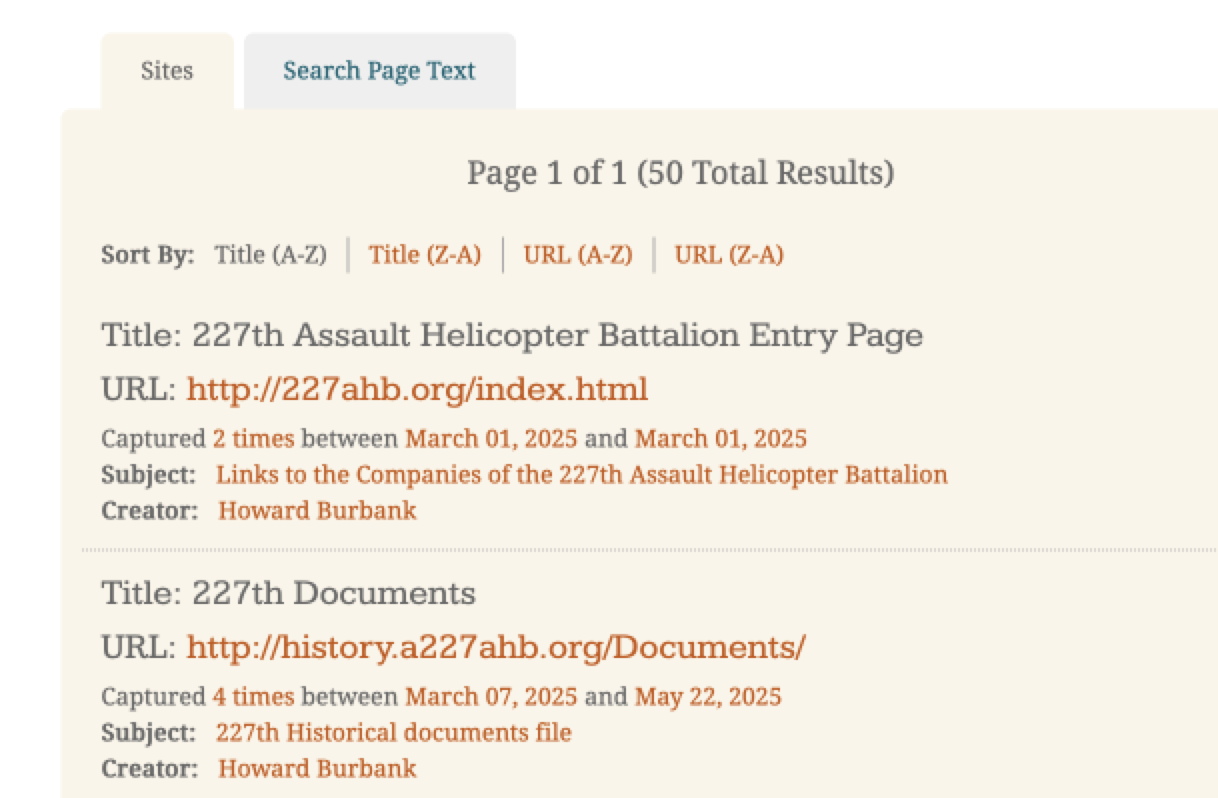
Clicking on the 227AHB Website you will see a listing (There are SORT and SEARCH controls above the list) of titles of the archived pages (this list breaks the website down into sections that you can select to view as starting points)
I recommend starting with this link in the list which is the entry page for the A/227 website.
A/227th Assault Helicopter Battalion Entry Page
The first thing you will see is a calendar with a dates highlighted in blue - just click on the most recent date to open the most recent web page archive
NOTE: The website page may take some time to load
from that point on you will be able to navigate the website with the links menu on each page (like any website you visit)
Every archived page will have a yellow banner at the top of the page like below.
This banner has several pieces of information and links.
The first sentence always shows that the page you are viewing is part of our 227th AHB archive.
The next sentence specifies the time/date that this page was captured as part of our collection.
"The information on this web page may be out of date." Provides notice that there may other dates that the page may have been captured. To see "all versions" ( all dates of capture) use the active link "All Versions" to view a calendar that shows year/month/day with highlighted days. Any highlighted days are days when the page was scanned and captured.
The last sentence in the banner will show if there are any embedded videos on the page and how many are found. (Found 0 archived media items out of 0 total on this page.) by "media" they refer only to videos.
If any videos are found the text will say ---- (Found 1 archived media item out of 1 total on this page.).
- there will appear a small image of a play button. Use this button to play the video (Any player controls that show inside the page may not work correctly without first pressing the blue play button - but the videos, and any video controls in the page, will work normally after using the small blue "play button".)
There is also a small active link at the top right of the yellow banner that says "hide". Clicking this "hide" link will remove the banner from view (the yellow banner will appear on every page but it is helpful to remove the banner to see some of the page it hides - such as the top items on our menu .
Navigating our archived website works just like the active website - pages may load a little slower but everything is there.
Pages on the website are now being archived on a regular basis so that as changes are made on the "live" site they are also being saved on the Archived site within a short time. Every time a page is archived it will show up as another blue highlight on the calendar dates.
When the day comes that the "live" website no longer exists the archived site will remain permanently available.
**********************************************************************************
227th Videos
The video collection includes the same videos you can find within our website but are available here individually by title. There are over 50 videos in the listing. The listing is sortable and searchable - with controls at the top of the list.
Choose the video you would like to view from that list. You will again see a calendar showing the date of the capture of the video - click on the highlighted date. The same yellow banner will appear with the information for that video with a small "Play" button. It may take a while for the video to load. Start the video with that small "play" button - you then will see the video which may with have active video controls added.
Last updated May 26, 2025
For more information contact:
Copyright © 2003 - 2026